Charge Limit
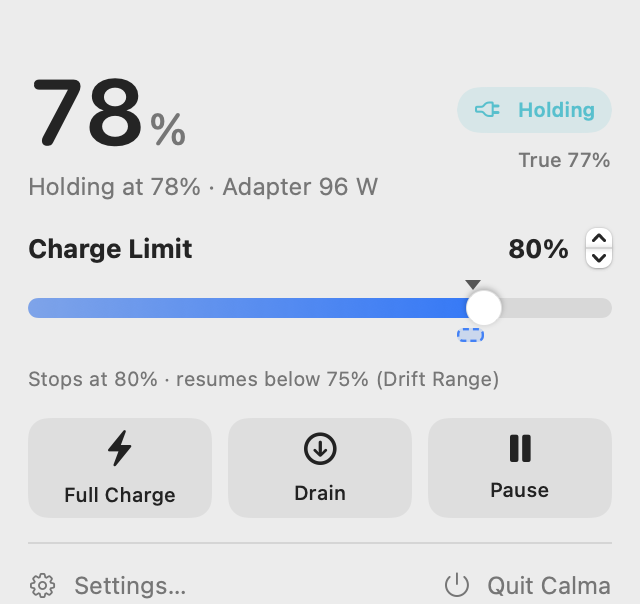
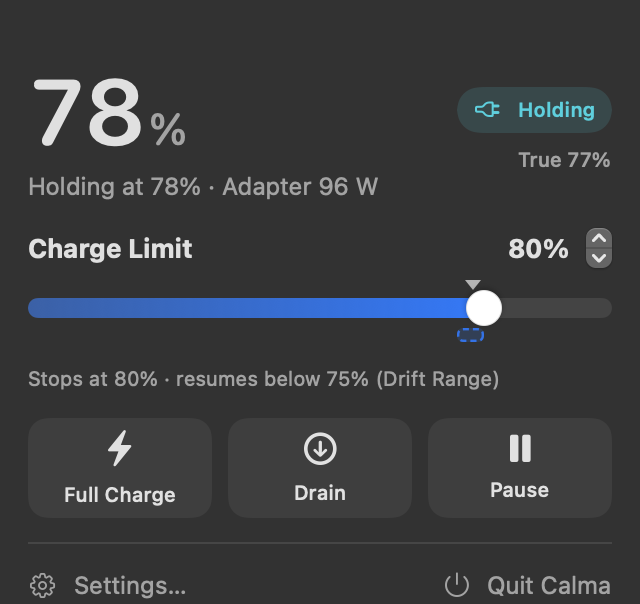
Hold the battery anywhere from 20% to 100%. The adapter powers the Mac while the battery rests.
Calma limits how far your Mac charges, so the battery isn't sitting at 100% all day. Pick a limit, and the adapter powers your Mac while the battery rests.
Lithium-ion cells wear faster at a high state of charge. A Mac that stays plugged in on a desk spends most of its life at 100%.
Every feature is free. There's no Pro tier, no licence key and no account.
Hold the battery anywhere from 20% to 100%. The adapter powers the Mac while the battery rests.
Pause charging when the battery runs warmer than your threshold, with 5-minute windows so it doesn't flip back and forth.
Set a limit, full charge, drain, pause or recalibrate daily, on weekdays, weekly, every two weeks or monthly, with a history log.
Run from the battery while plugged in, down to a level you choose, or automatically whenever you lower the limit.
After reaching the limit, charging resumes only once the level drops a few percent below it. No constant 1% top-ups.
A guided 100% → 10% → 100% cycle with a one-hour hold that keeps the battery's percentage reading accurate.
One tap to 100% before a trip. Your limit comes back as soon as you unplug.
Pause on Sleep stops charging to 100% overnight, and Stay Awake to Limit keeps the Mac awake until the limit is reached.
A live diagram of where the watts go between the adapter, battery and system.
Green at your limit, amber on the way there, optionally blinking while draining, or off. Only shown on Macs with MagSafe 3.
See the battery controller's raw percentage, cycle count, capacity and temperature.
Script everything with the calma command, or use calma:// links in Shortcuts.
The helper runs system-wide, so your limit carries across fast user switching and keeps working when the app is closed, if you choose.
Switch the macOS power modes from the menu bar or the command line.
VoiceOver labels, full keyboard navigation and reduced motion support. Available in English and (partially) Hindi.
Built with SwiftUI and SF Symbols, with light and dark mode. No web views and no custom chrome.
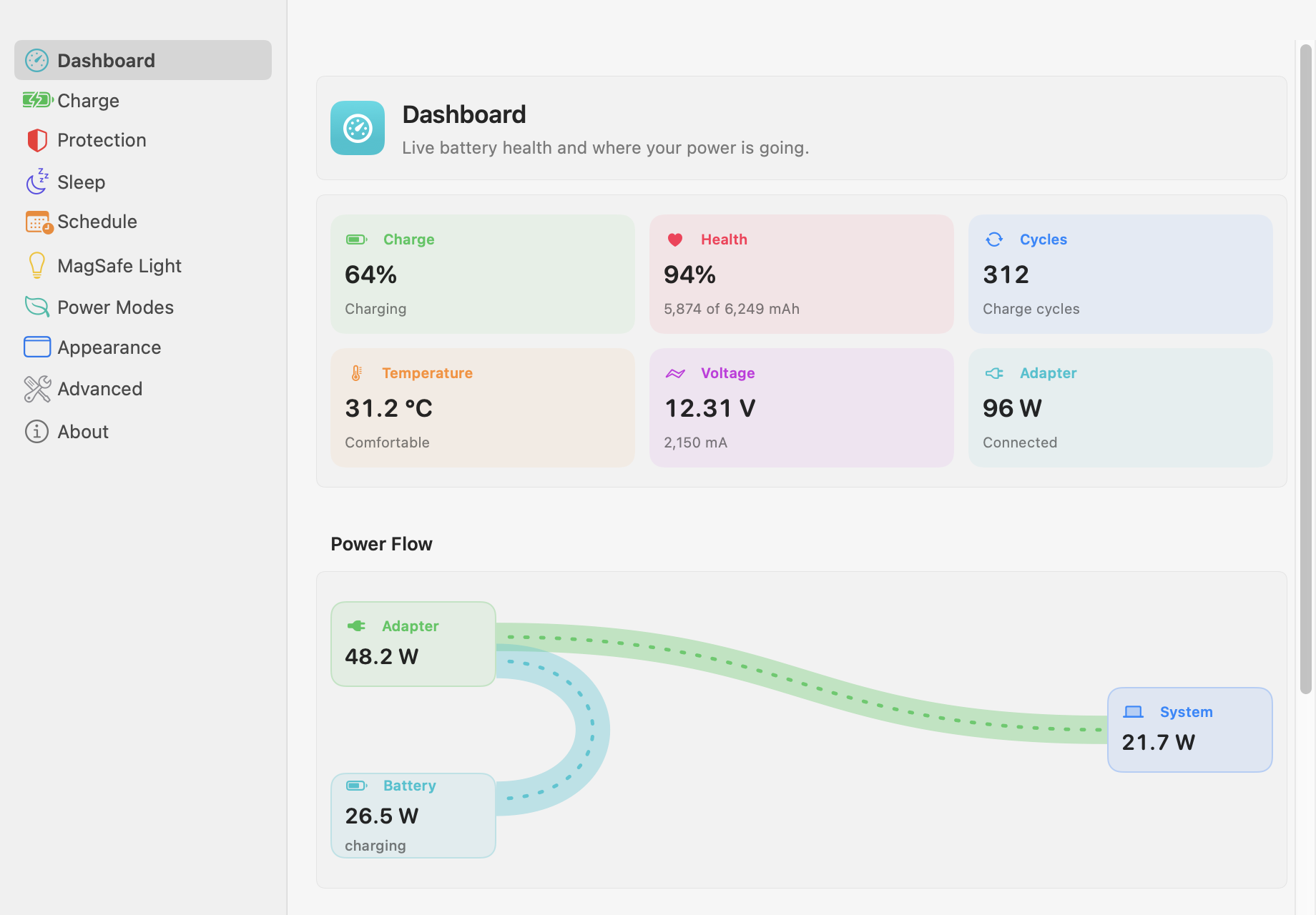
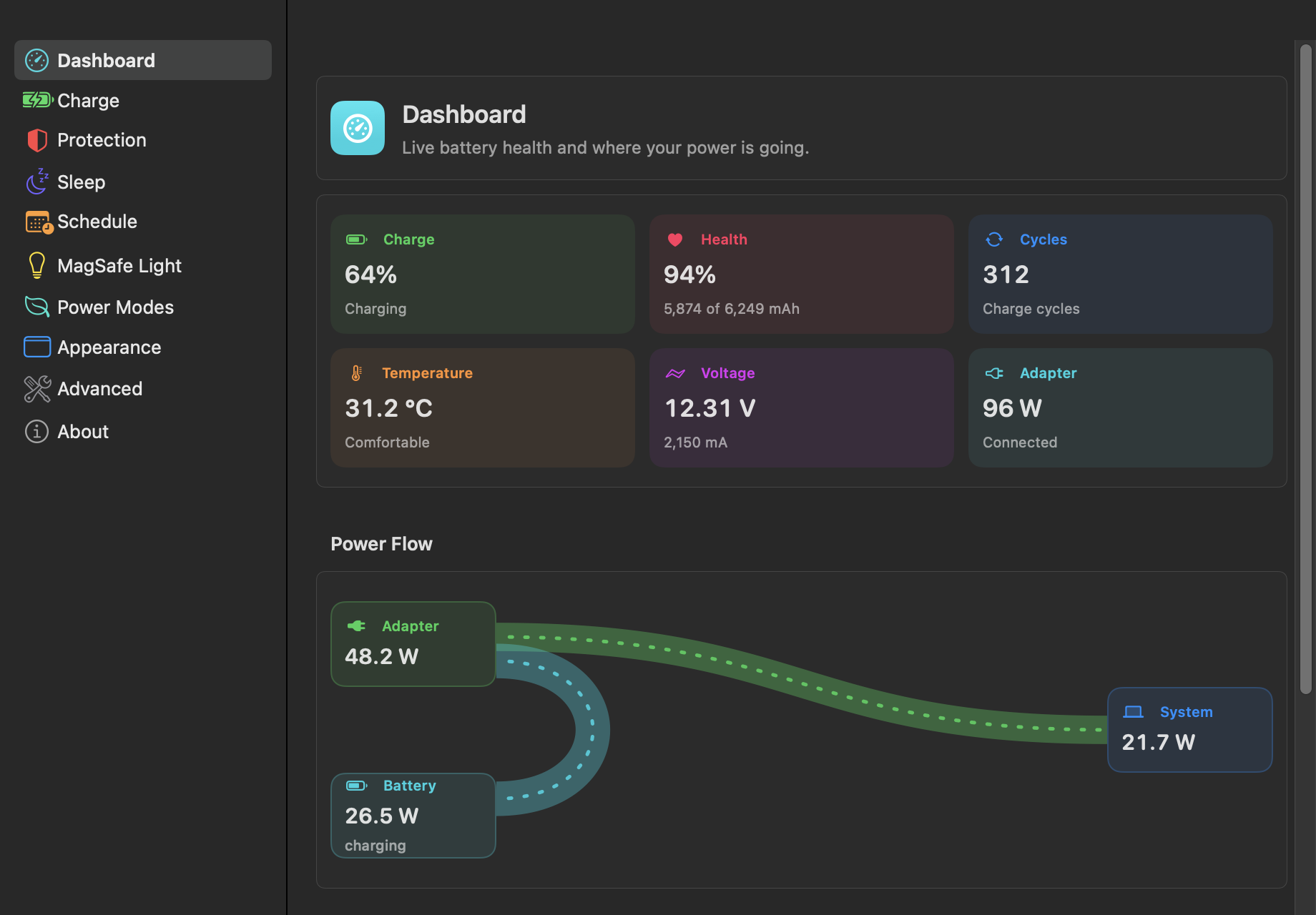
Dashboard. Battery health, temperature and live Power Flow.
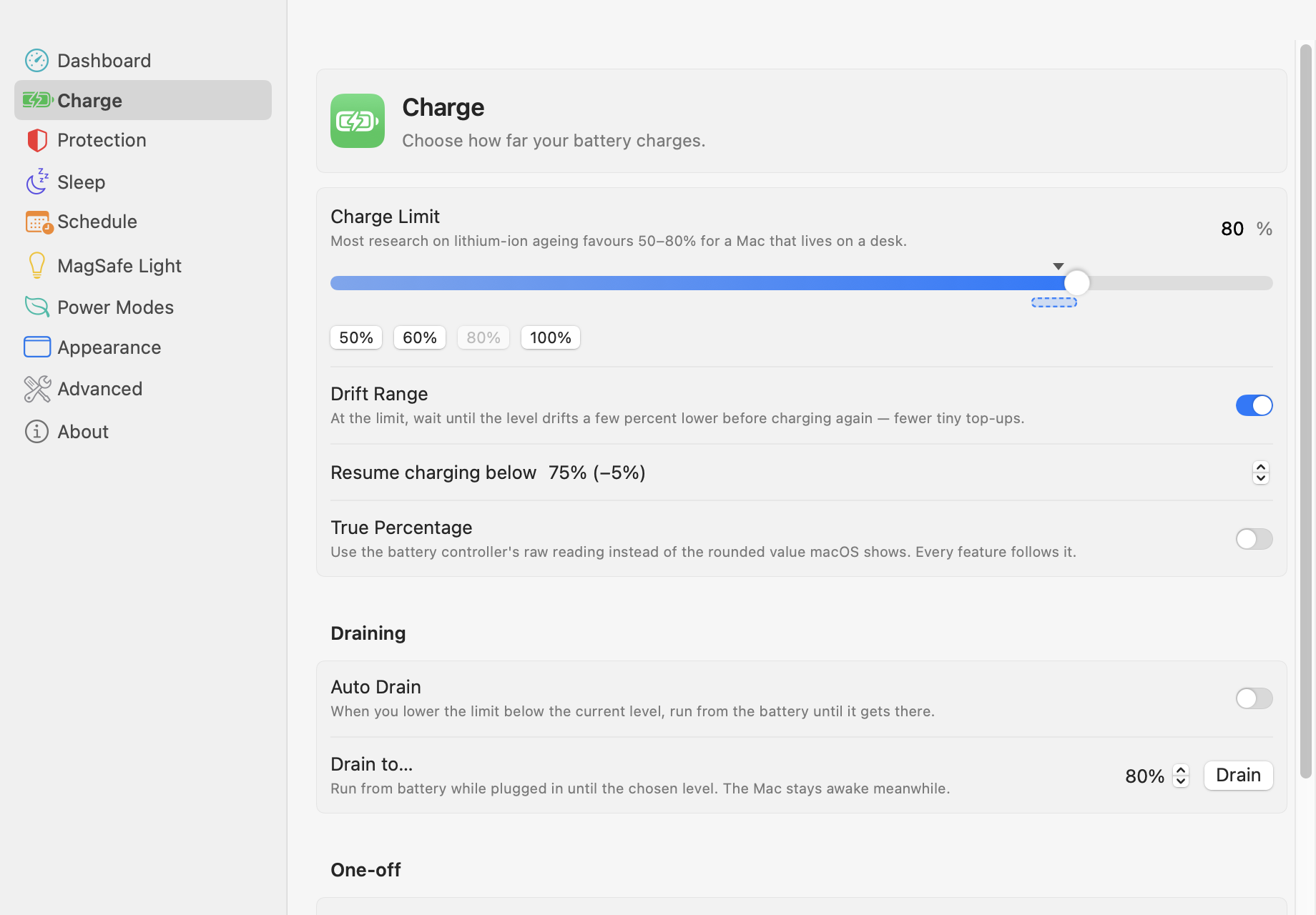
Charge. Set your limit, Drift Range, Auto Drain and True Percentage.
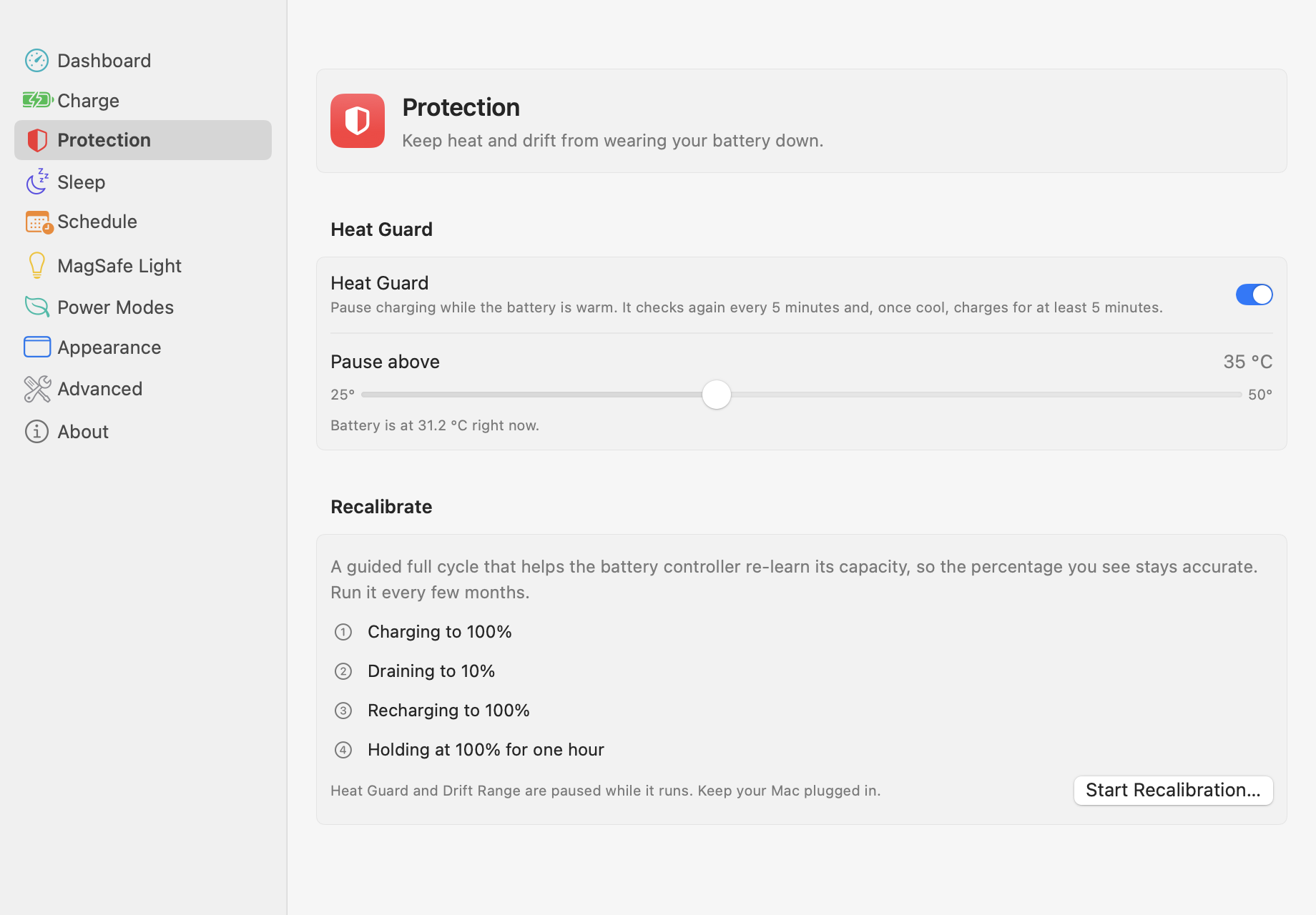
Protection. Heat Guard and guided recalibration.
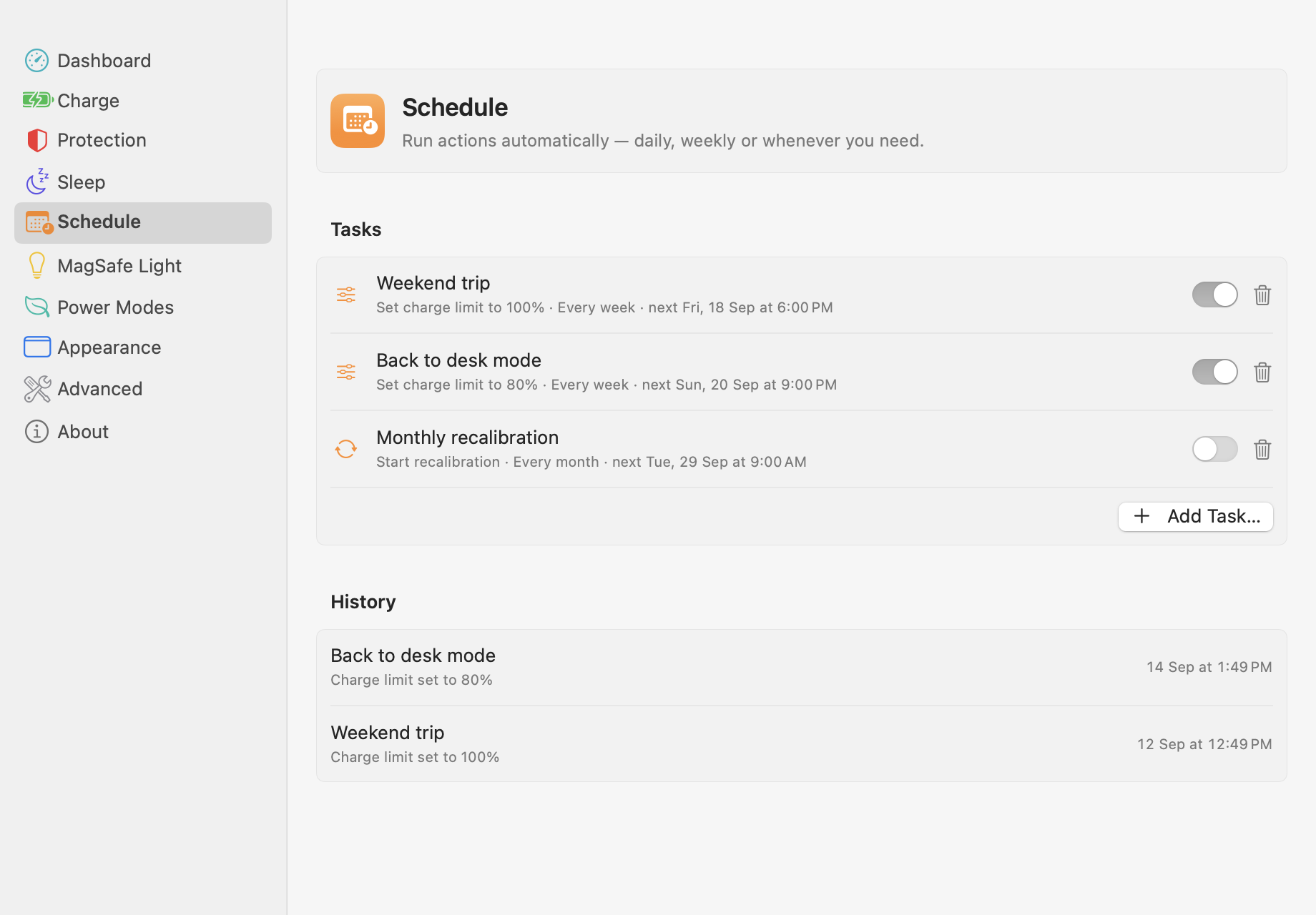
Schedule. Automate limits and full charges.
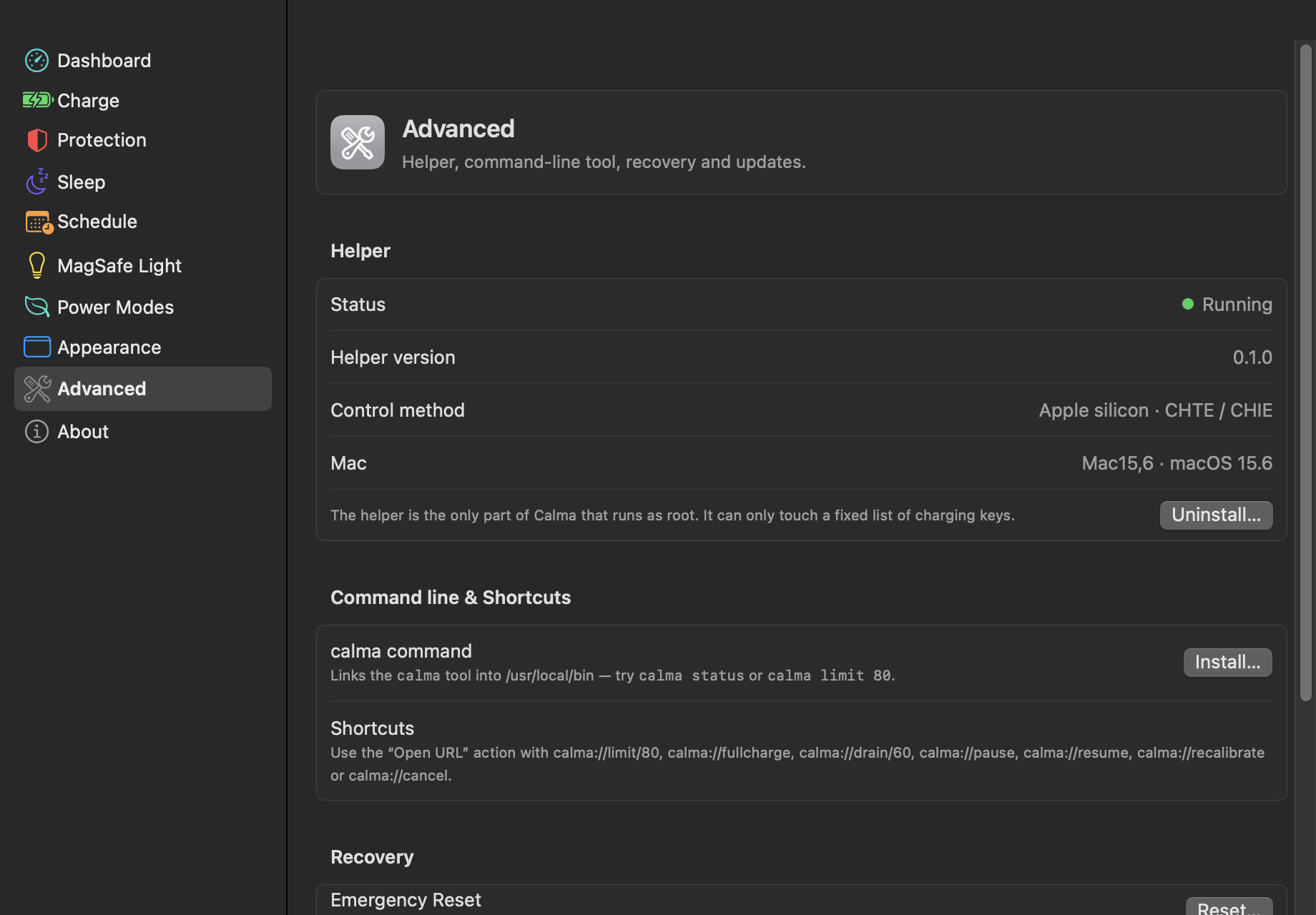
Advanced. Helper status, CLI and Emergency Reset.
Charging is controlled by keys on the System Management Controller that only root can write. Calma keeps that part tiny and locked down.
Drag Calma to Applications, open it, and choose a limit from the menu bar. 80% is a good start.
A small helper, calmad, runs as root. It's the only process that talks to the charging controller, and it only accepts a fixed set of commands from admins.
The helper checks your battery continuously and pauses or resumes charging. It keeps working across sleep and user switching.
Many charge limiters keep their most useful features behind a subscription or a Pro upgrade. Calma doesn't.
| Feature | Calma | Typical paid charge limiters |
|---|---|---|
| Charge limit | ✓ Free | Usually free |
| Drain while plugged in | ✓ Free | Often paid |
| Heat protection | ✓ Free | Often paid |
| Recalibration cycle | ✓ Free | Often paid |
| Scheduling | ✓ Free | Often paid |
| Sleep handling | ✓ Free | Often paid |
| MagSafe LED control | ✓ Free | Often paid |
| Live power flow | ✓ Free | Often paid |
| Command-line tool | ✓ Free | Varies |
| Source code you can audit | ✓ GPL-3.0 | Usually closed |
| Telemetry | ✓ None | Varies |
Calma controls real hardware, so it assumes things will go wrong and plans for it.
calma reset restore everything, and an SMC reset always does too.The calma command talks to the same helper as the app. Use it in scripts, cron jobs, or Shortcuts with Run Shell Script.
calma://links work in Shortcuts too.$ calma status $ calma limit 80 # hold the battery at 80% $ calma drift on 5 # resume charging below 75% $ calma heat on 35 # pause charging above 35 °C $ calma fullcharge # 100% once, back to limit on unplug $ calma drain 60 # run from battery down to 60% $ calma reset # emergency reset
macOS 27 firmware removed every publicly documented charge-control key. We confirmed this on an M4 MacBook Pro. Apple's replacement keys aren't documented and can't be read, so on macOS 27 Calma runs in monitoring mode: live telemetry, Power Flow and battery health work, but charge limiting is off.
We won't write guessed values to your charging hardware, or cycle the adapter on and off in a way that wears the battery. Until the new interface is understood, macOS's own System Settings → Battery → Charge Limit (80–100%) works, and Calma shows it. Help us research it →
Yes. Every feature is free, with no Pro tier, licence key, ads or account. Calma is licensed under GPL-3.0, so it stays open source.
80% is a good everyday choice. If your Mac almost never leaves the desk, 50–60% is kinder still. Use Full Charge the evening before a day away from an outlet.
Only root can change charging behaviour. Calma installs one small helper, calmad, for that job. Everything else runs as your normal user.
Community builds aren't notarized yet, so Gatekeeper can't confirm who built the app. Click Done, then open → System Settings → Privacy & Security, scroll to Security and click Open Anyway. On macOS 13–14, right-click the app and choose Open instead. The install guide has the full steps, and building from source avoids the warning entirely.
The helper can't act while the Mac is fully asleep. Turn on Pause on Sleep, which stops charging before sleep, or Stay Awake to Limit.
Use Emergency Reset in the app or run calma reset. On Apple Silicon, a full shutdown followed by a 30-second wait always restores stock behaviour. The full recovery guide covers Intel Macs too.
Yes. The universal build supports Intel MacBooks from 2016 onwards on a best-effort basis. Hardware reports from Intel owners are very welcome.
Please don't. Two apps writing the same controller keys will fight each other. Remove the other app and its helper first.
You don't have to write Swift to help.

Calma is created and maintained by @Milanpatel35, free for everyone under GPL-3.0.
Tell us which features work on your MacBook. This is the most valuable contribution there is.
File a report →Pick up a good first issue, improve the docs, or help research macOS 27.
Free and open source. Works on macOS 13 and later, with Apple Silicon and Intel in one universal build.
Skip the macOS warning — install from Terminal:curl -fsSL https://raw.githubusercontent.com/Milanpatel35/calma/main/Scripts/install.sh | bash